M5
Verified on hardwareMacBook Pro Mac17,9
- Mode key
- F0md, lowercase
- Unlock
- Direct, no Ftst
413 decoded values measured here. Both fans idle at 0 RPM under macOS.
Free, open source fan control for macOS. Read every SMC sensor and ramp your fans on a curve you draw.
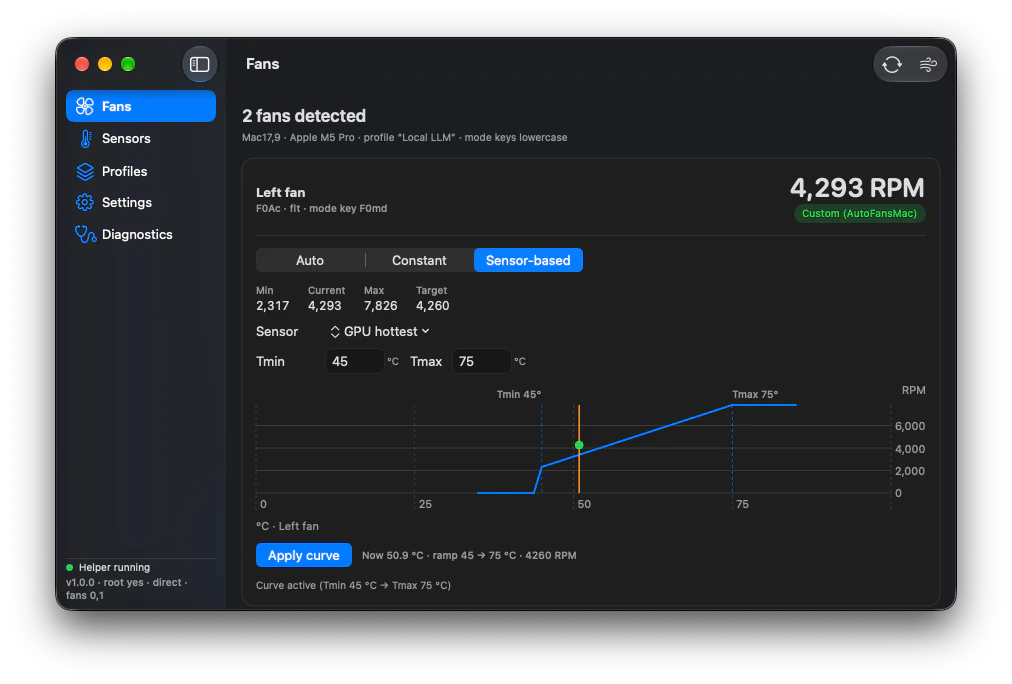
Fans: per-fan mode, a sensor curve with Tmin and Tmax, and a live preview before you apply.
Choose any temperature key, set where the fan starts and where it saturates, and AutoFansMac holds the line between them.
lo + (hi - lo) x (T - Tmin) / (Tmax - Tmin)
Tracked sensor
Tp01CPU performance core 1
Smoothed temperature
macOS holds this fan and idles it at 0 RPM
Workload
Live model of the shipped ramp maths. Values are simulated; the fan range 2317 to 7826 RPM is measured on a MacBook Pro Mac17,9.
Named from a 200-entry catalog derived from Stats. Keys that are not in the catalog are still listed, with their raw FourCC, instead of being hidden.
Measured on a MacBook Pro Mac17,9 with an M5 Pro, running macOS 27.0.
Unknown keys are not an error. The app lists them with their raw FourCC in an Unknown group.
Showing 42 of 171 matching keys, from 171 literal keys in a 200-entry catalog
CPU
Fans, Sensors, Profiles, Settings and the menu bar itself. The menu bar carries the same numbers as the window, so a glance is often enough.
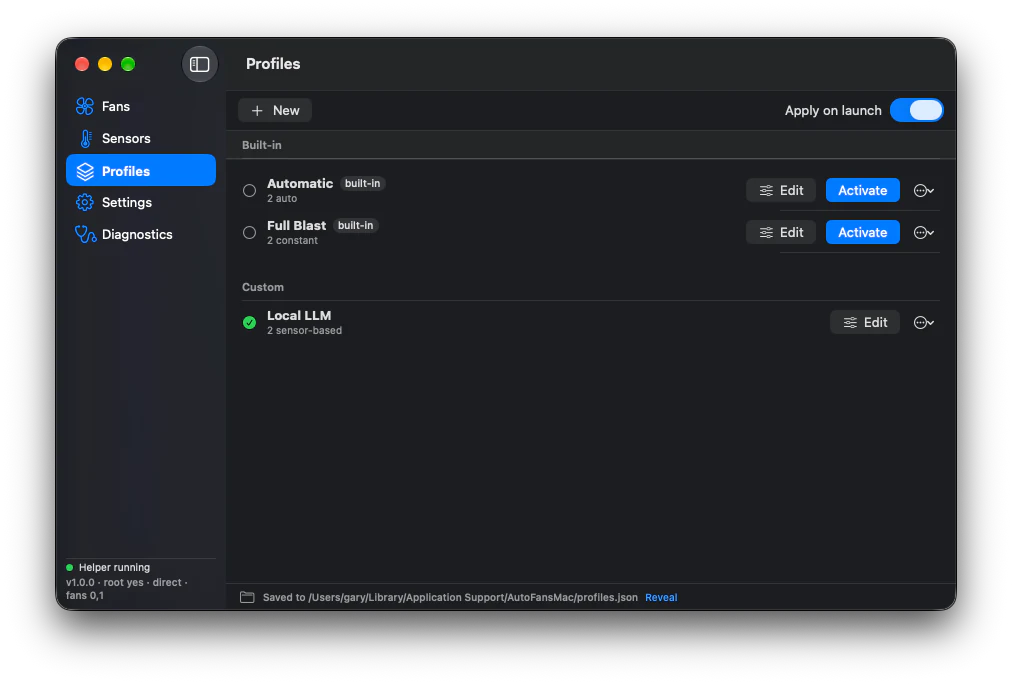
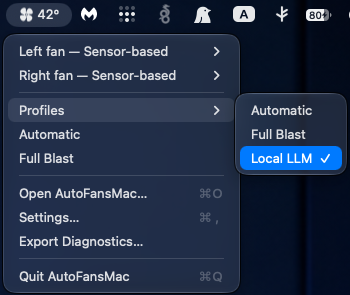
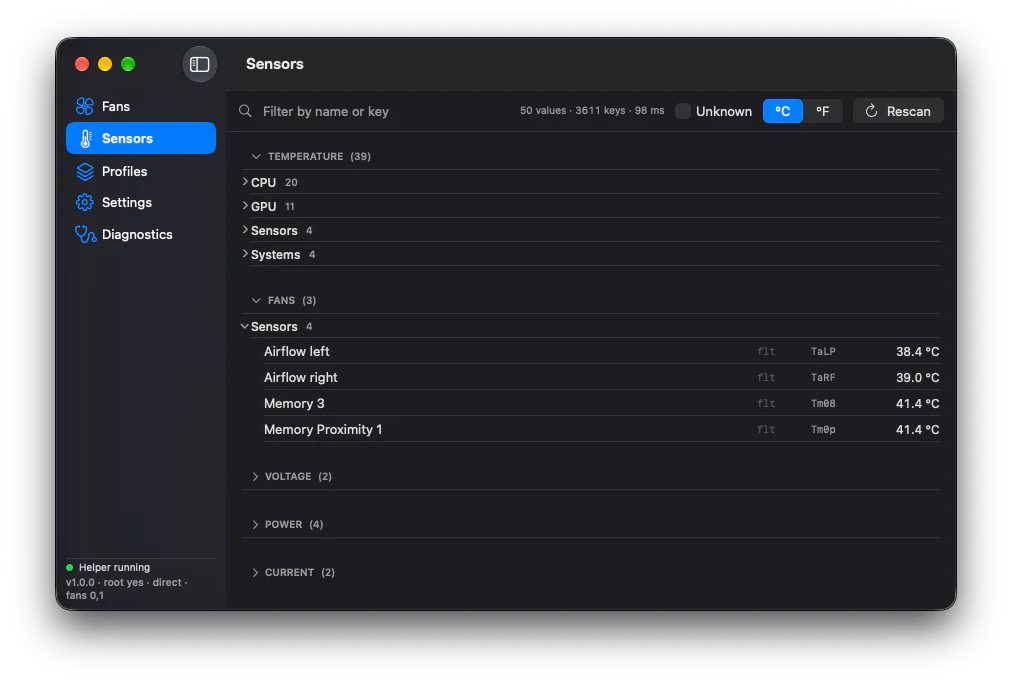
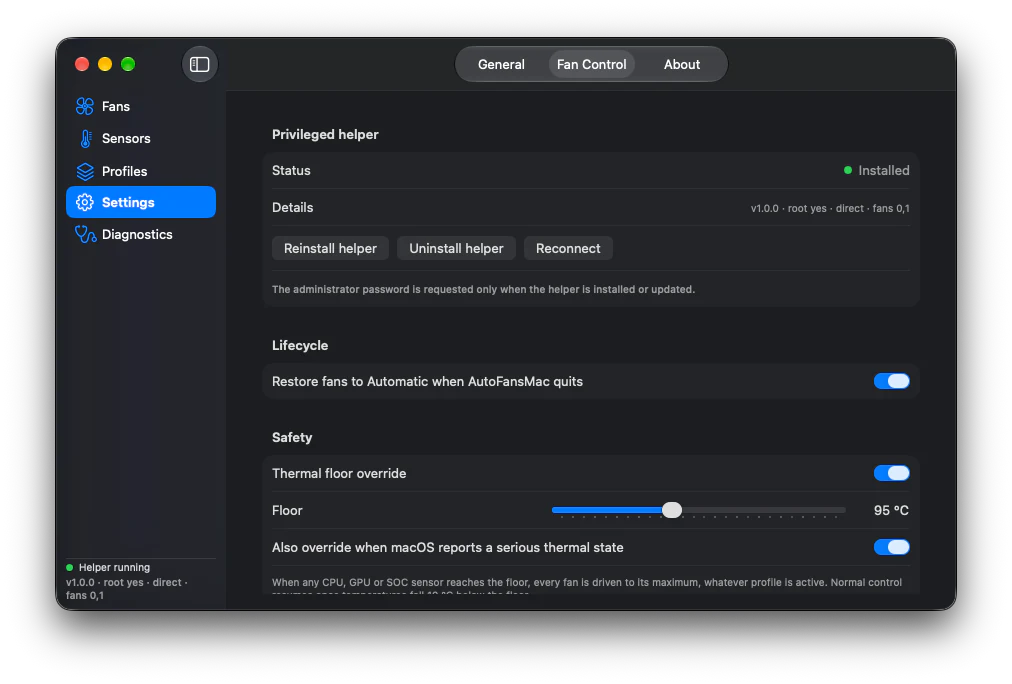
Four rules are not optional, and they are enforced in the helper rather than in the interface.
Every commanded value is clamped to the range the firmware reports. Sending less requires the expert switch, which warns and lasts one session.
Any CPU, GPU or SOC sensor reaching the floor drives every fan to maximum, whatever the profile says. Normal control returns 10 C below it.
Sixty seconds without a heartbeat from the app and the helper hands the fans back to macOS on its own.
The signal handler and the crash-recovery state file both exist so that a crash cannot leave thermal management disabled with nobody driving it.
Mode-key casing, the unlock path and each key's data type are read from the machine at runtime. Nothing is inferred from the model number, because M2 and M3 base models were never verified upstream.
MacBook Pro Mac17,9
413 decoded values measured here. Both fans idle at 0 RPM under macOS.
MacBook Pro M4 Max
Upstream fan control confirmed. Not tested on this machine.
MacBook Pro M3, iMac M3
thermalmonitord holds the fans in system mode, so the unlock sequence is used.
MacBook Air and Pro M2
Unverified upstream and here. The probe path is what runs.
MacBook Pro M1, Pro, Max
Upstream fan control confirmed. Not tested on this machine.
MacBook Air M1, FNum 0
A machine with no fans probes cleanly and shows no fan controls at all.
iMac19,1, MacBook Pro 2018 to 2020
Key types differ per machine, which is why every type is probed.
iMac 2013 to 2017, MacBook Pro to 2015
Fan control is expected to work and has not been verified here.
Free and open source. An administrator password is needed once, when the helper is installed, and reading sensors needs no privileges at all.
./Scripts/package-unsigned.shxattr -dr com.apple.quarantine /Applications/AutoFansMac.appNo Apple account needed. The recipient clears the quarantine flag once.
Fan control needs the privileged helper. The helper answers only a client whose code signature matches this team, and the unsigned build is the one exception.
Download for macOSThe same list the app itself would give you. None of it is a footnote.
No. Reading the SMC works from any unprivileged process, so the app does that itself. Only writes go through the helper, and only the helper is installed with administrator rights.
Its helper cannot verify the calling app's signature, so any process on the machine could ask it to set a fan speed. That is the trade for not having a Developer ID. Docs/DISTRIBUTING.md says so in the same words and shows how to re-badge the app with your own team.
One: a MacBook Pro Mac17,9 with an M5 Pro, recorded in Docs/COMPATIBILITY.md. M1, M3, M4 and Intel with T2 are confirmed upstream. M2, and Intel without a T2, have never been verified by anyone, and the compatibility list marks them that way instead of claiming otherwise.
It asks GitHub for the latest release once a day, or when you press the button in About. That is the only request the app makes, and it can be switched off.
Not by default. A target of 0 stops the fan, so every value is clamped into the range the firmware reports, and going outside that range needs the expert switch.
The helper hands the fans back to macOS after 60 seconds without a heartbeat. A SIGTERM handler releases them immediately, and a state file lets the next launch reclaim and then release a fan that manual mode was left on.